
Time tracking for solo professionals.
Private by default.
Animo is a desktop time tracker for freelancers and independent consultants. Run a timer, review your week on a calendar, and turn hours into invoice-ready reports. It needs no account and no cloud, and your data stays on your machine.
- Works offline
- One SQLite file
- Windows, macOS, Linux
- MIT licensed
Everything you need. Nothing you don't.
Animo covers the whole loop for one person: capture time as you work, review it, and bill for it. There are no team seats, approval flows or dashboards you'll never open.
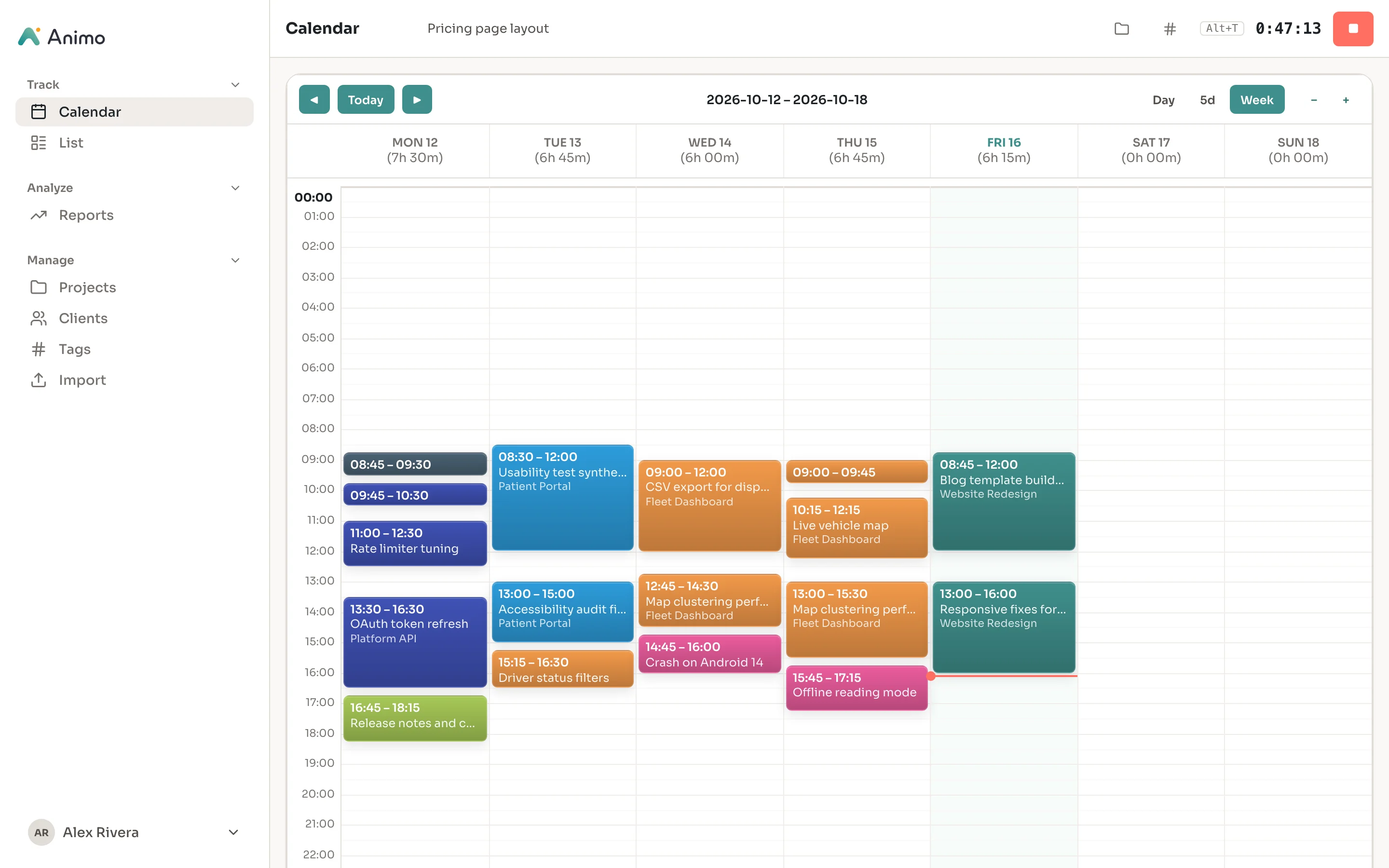
A timer that's always one keystroke away.
Type what you're working on in the header, pick a project and tags, and press Alt+T. The stopwatch keeps running across screens and restarts, and the desktop app mirrors it in the system tray.
- Start and stop with Alt+T, the global hotkey, or the tray menu
- Searchable project picker, grouped by client
- Tags right next to the timer, so entries are organized from the start
- Forgot to start it? Add entries afterwards with start and end times
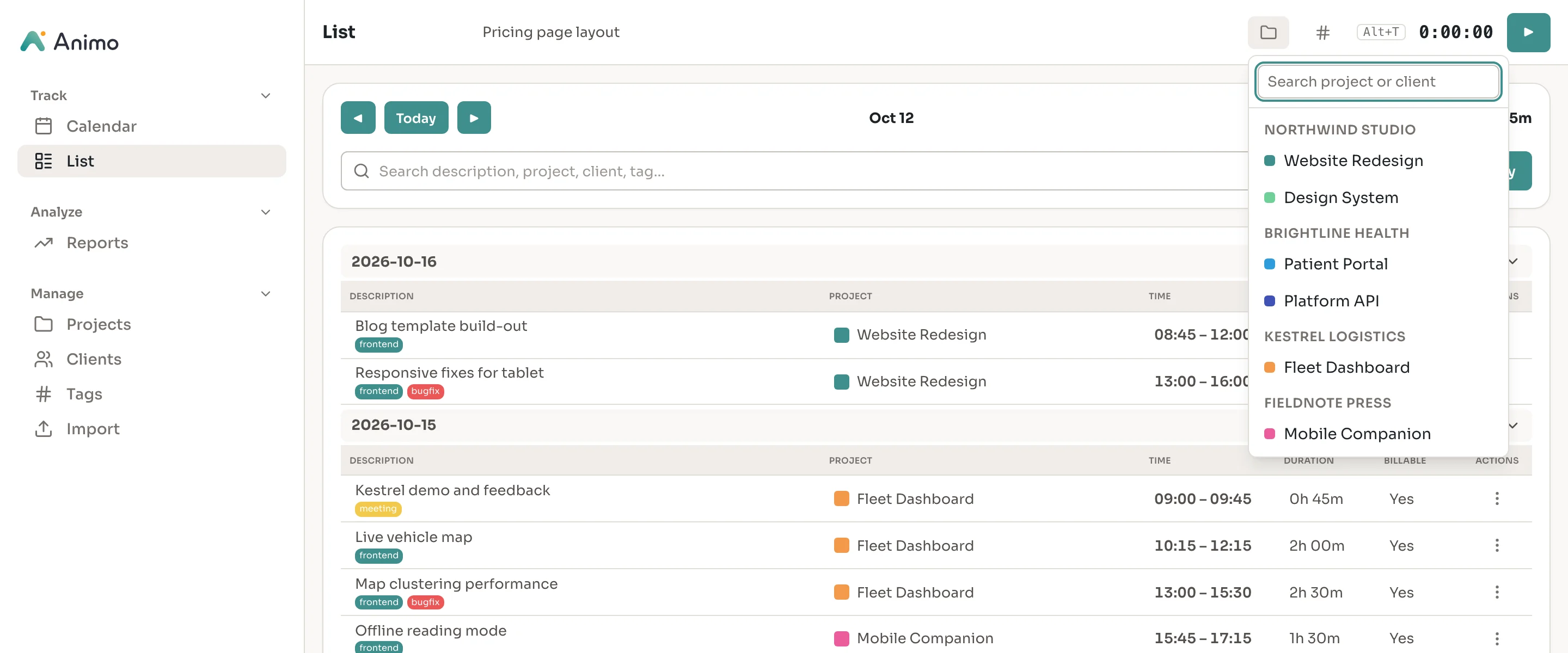
Your week on a calendar. Every entry in a list.
The calendar shows each day as colored blocks, one color per project. Drag on an empty slot to create an entry, or drag an entry to move or resize it. Switch to the list for a dense, day-grouped view with totals.
- Day, 5-day and week layouts with zoom
- Drag to create, move and resize entries, snapped to the grid
- Day and week totals at a glance
- Instant search across descriptions, projects, clients and tags
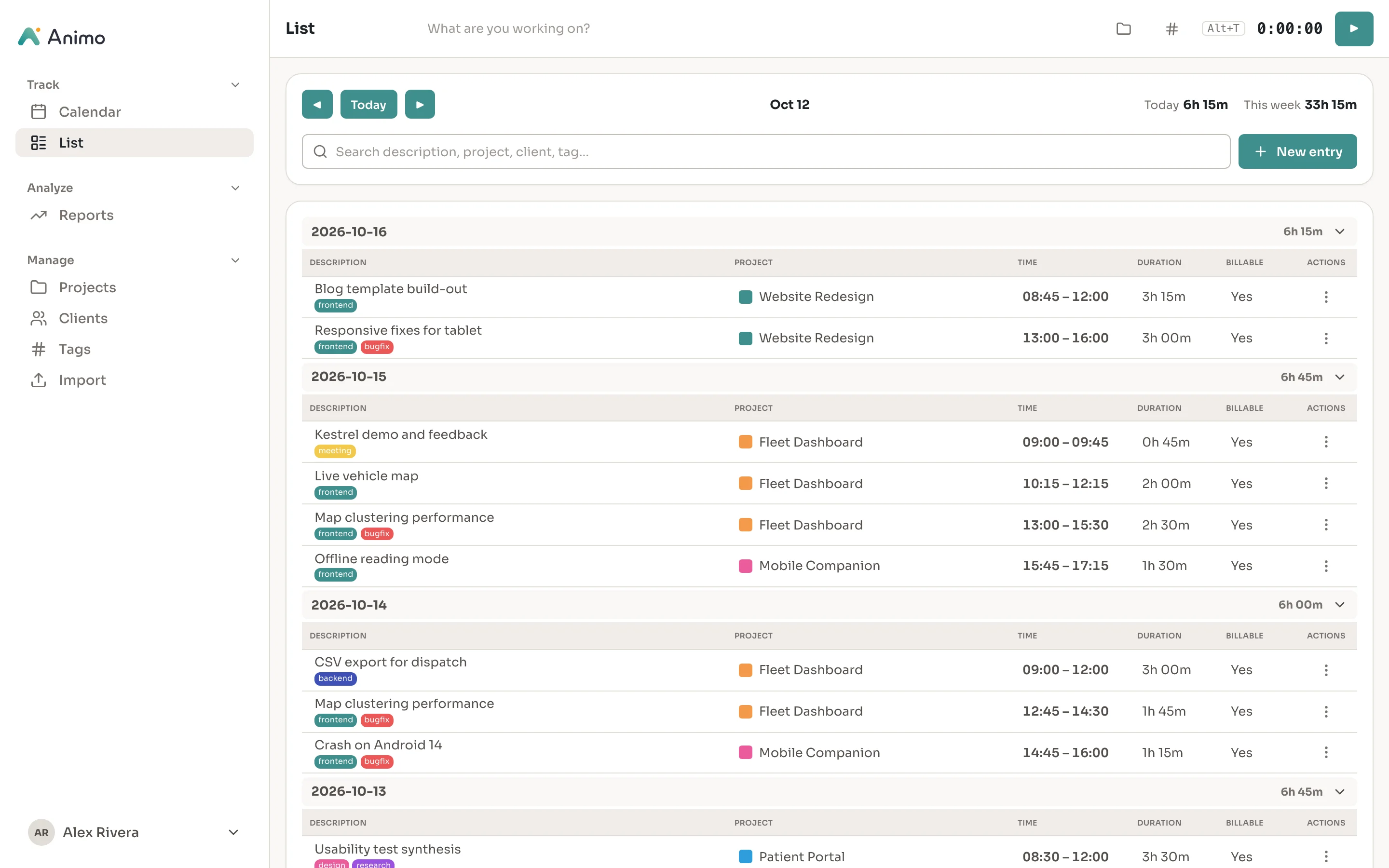
Fix any entry in seconds.
Click an entry to edit it. Change the start, end or duration and the other fields update to match. Create tags as you type, and mark work as billable or internal with one switch.
- Start, end and duration stay in sync
- Description suggestions from everything you've tracked before
- Create tags inline without leaving the dialog
- Billable switch on every entry
- Resume any past entry to keep working on it
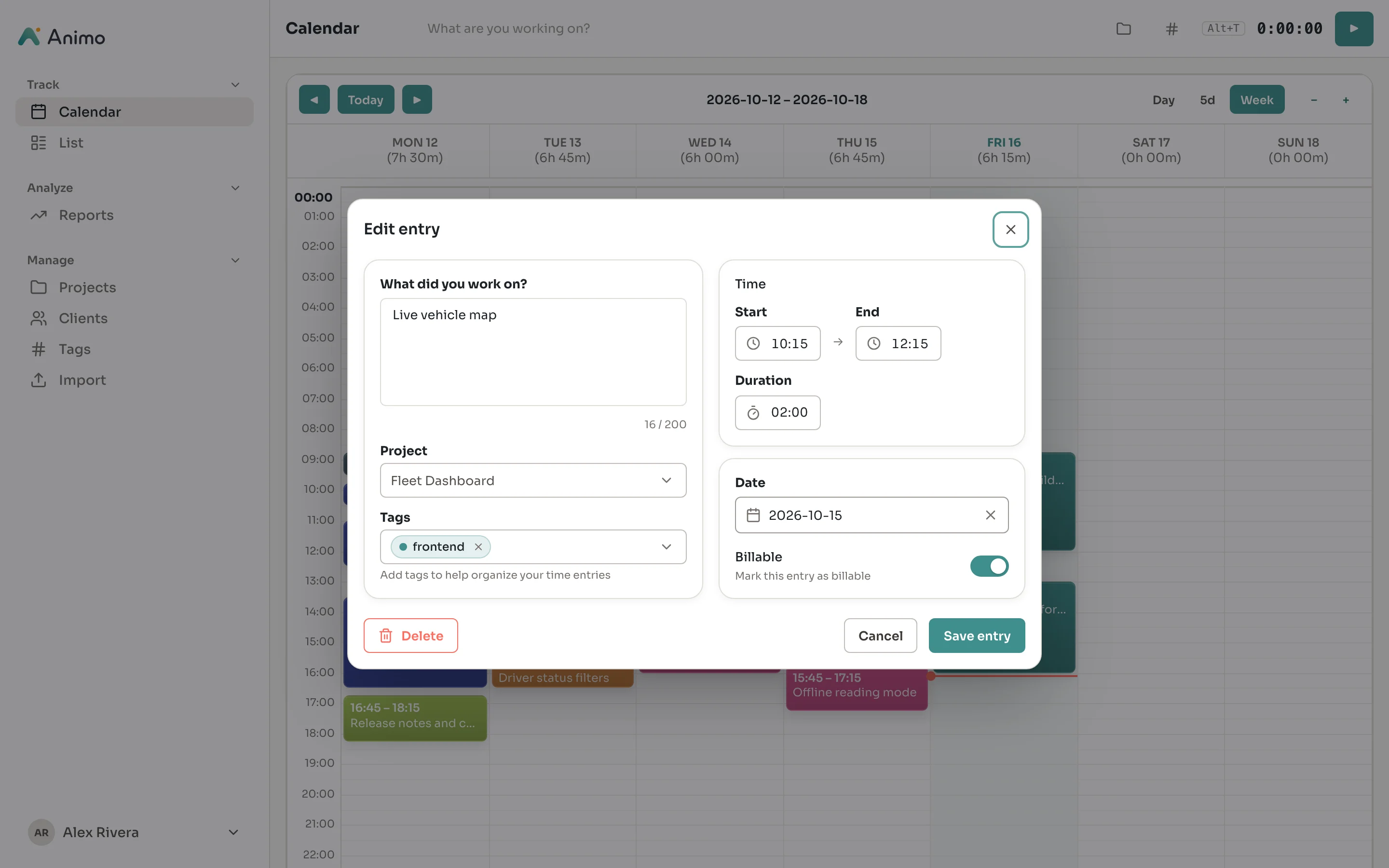
See where the hours and money went.
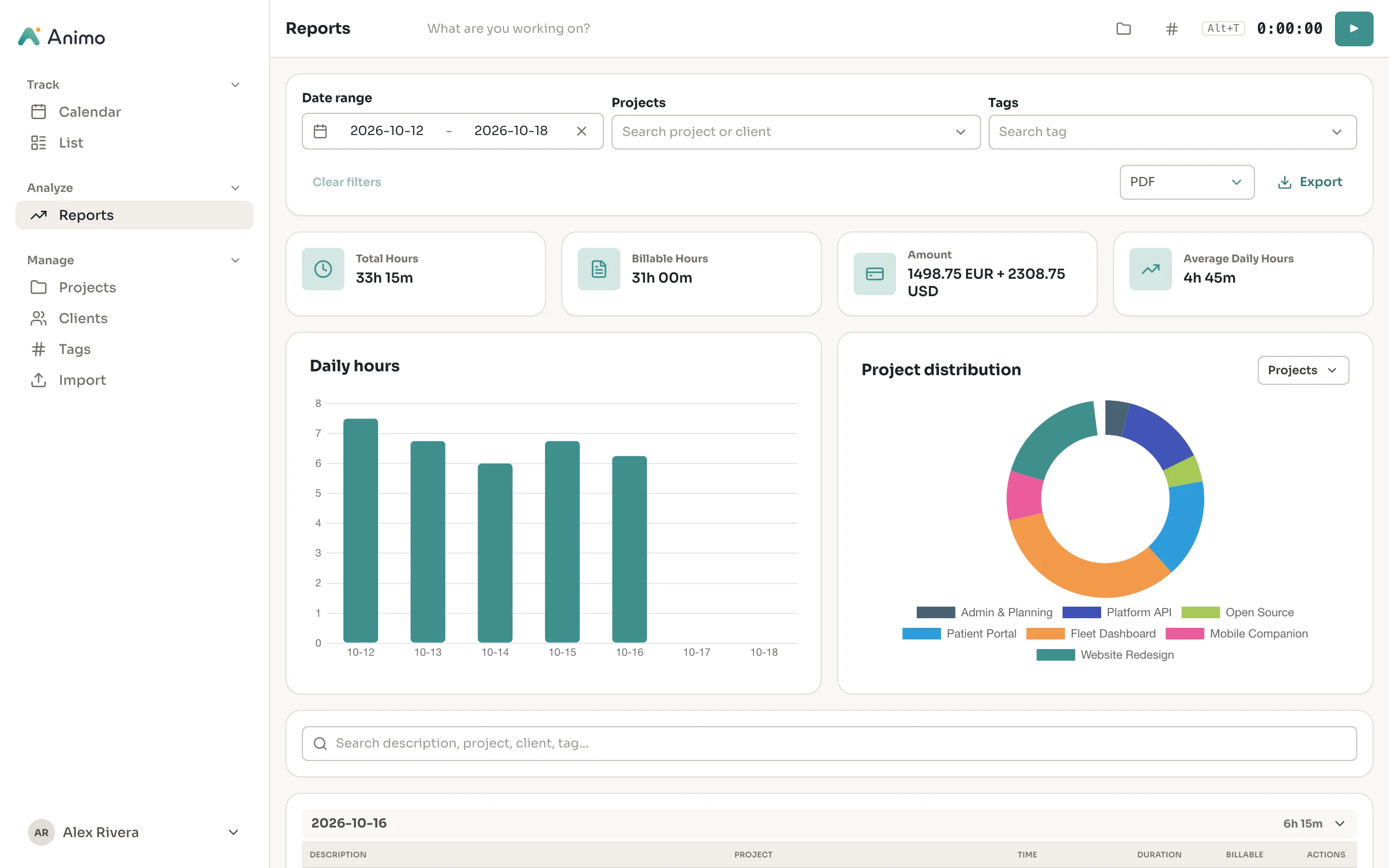
Reports add up any date range: total and billable hours, earnings per currency, and your daily average. Narrow them by project, client or tag, and split the breakdown chart however you need.
- Total hours, billable hours, amount and daily average
- Daily hours chart plus a breakdown by project, client, tag or billable
- Hourly rates per project, with amounts kept per currency
- Date-range presets such as this week, last month and last quarter
Reports ready for invoicing.
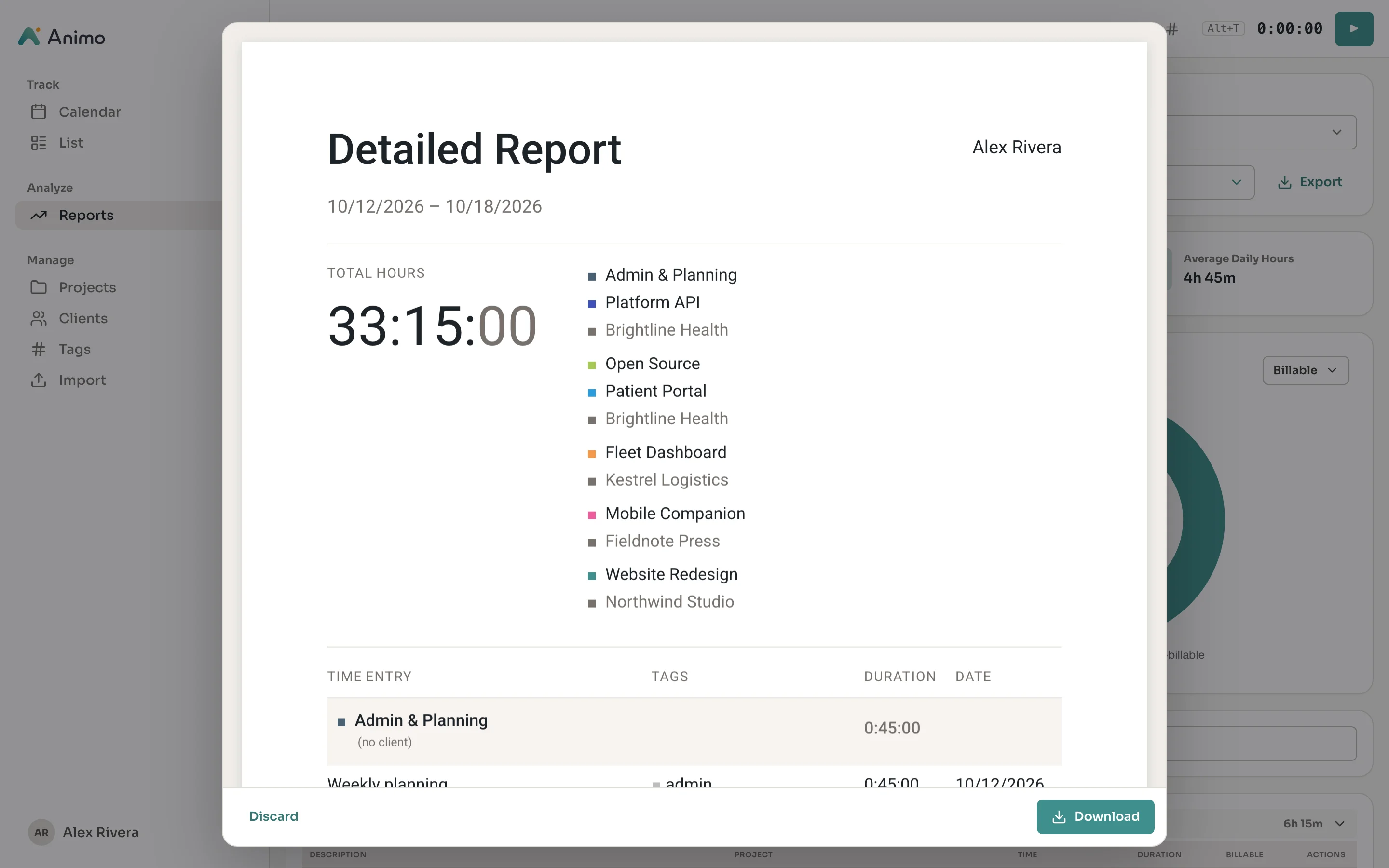
Export the filtered report as a styled PDF and check it in the preview before you save. Need the raw data? CSV and Excel exports include every column you'd expect, including amounts.
- PDF reports grouped by project and client, with a preview
- CSV and XLSX exports for spreadsheets and accounting tools
- Exports respect your date range and filters
Projects, clients and rates
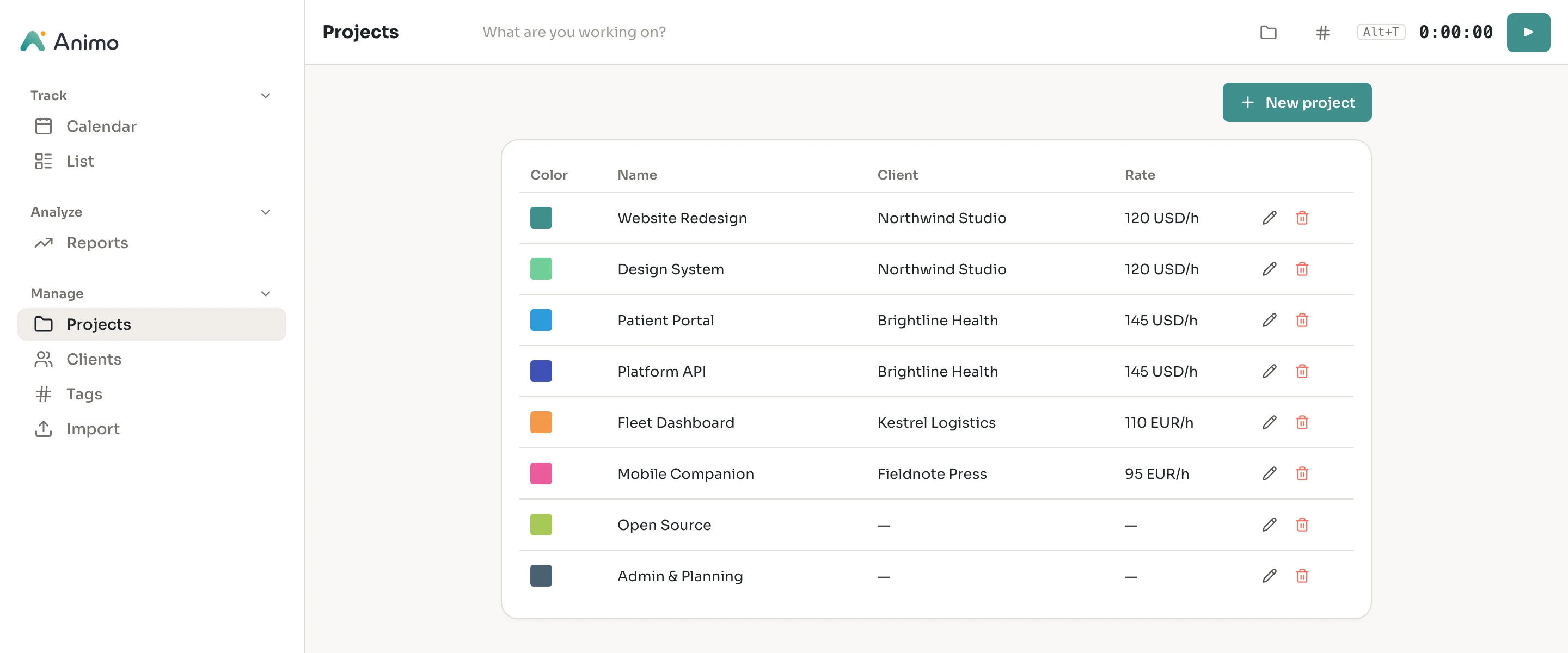
Give each project a color, a client and an hourly rate in its own currency. Internal work simply has no rate.
Bring your history with you
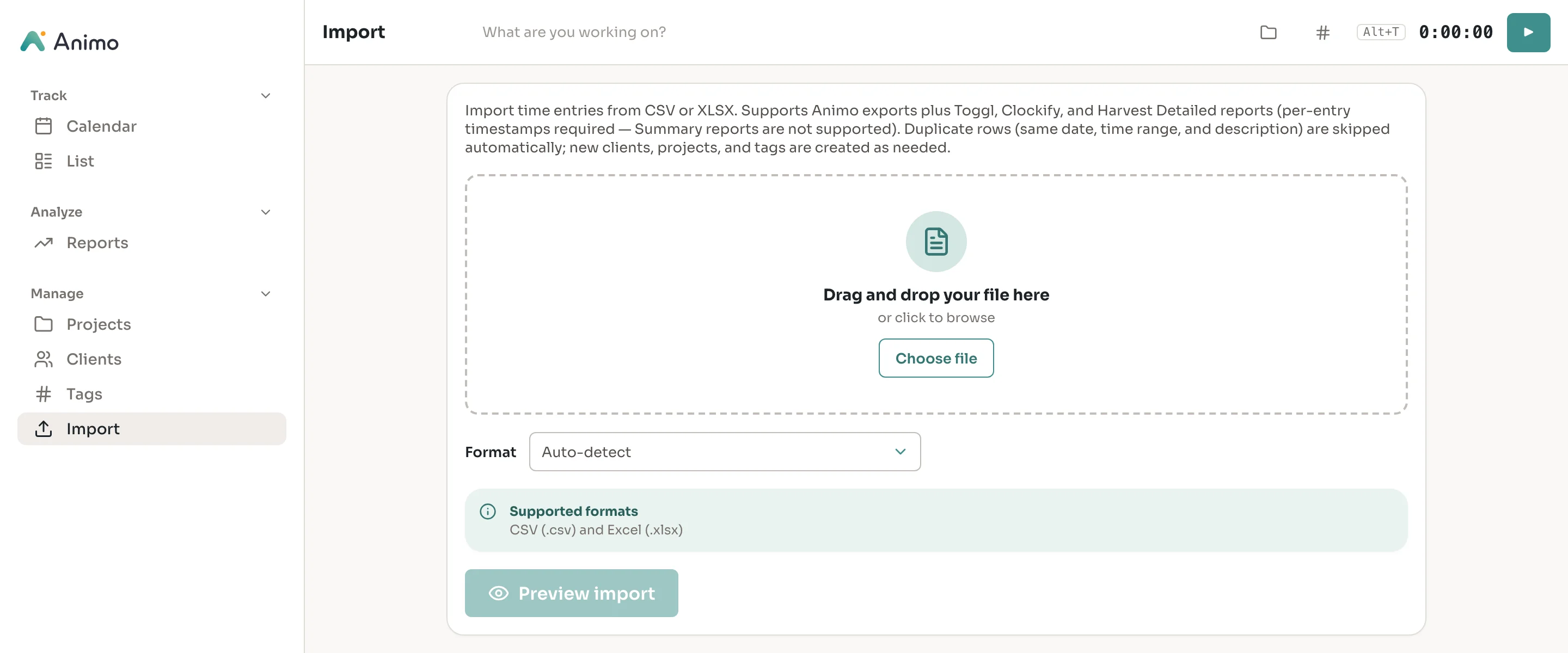
Import CSV or XLSX from Toggl, Clockify, Harvest or Animo itself. Duplicates are skipped, and missing clients, projects and tags are created for you.
The small things, done right.
Alt+T toggles the timer, and a global hotkey works even when Animo is in the background.
Start, stop and check the running timer from the menu bar or taskbar.
The entry editor suggests descriptions you've used before as you type.
Follows your system theme, or pick one and stick with it.
Animo checks for new versions and installs them with one click.
Your data is one SQLite file, and exports are plain CSV, XLSX and PDF.
Works in narrow windows today. Native mobile apps are on the roadmap.
Report a bug or request a feature from Settings. Diagnostics are attached only if you opt in.
100% on your machine.
Animo is built for privacy and control. There are no hosted accounts, no cloud sync and no telemetry. Everything lives in a single SQLite file you can back up, move or open with any SQLite tool. Your time data is always yours.
Built with a modern, secure stack.
Modern reactive frontend with a native feel.
Fast, reliable backend built for safety.
Zero-config database. Stored locally.
Lightweight desktop shell today, with mobile and on-prem web app paths planned.
Ready to take control of your time?
Download the desktop app for Windows, macOS or Linux for free, or explore the live demo with three months of sample data first. Mobile and on-prem web app packaging are on the roadmap.